
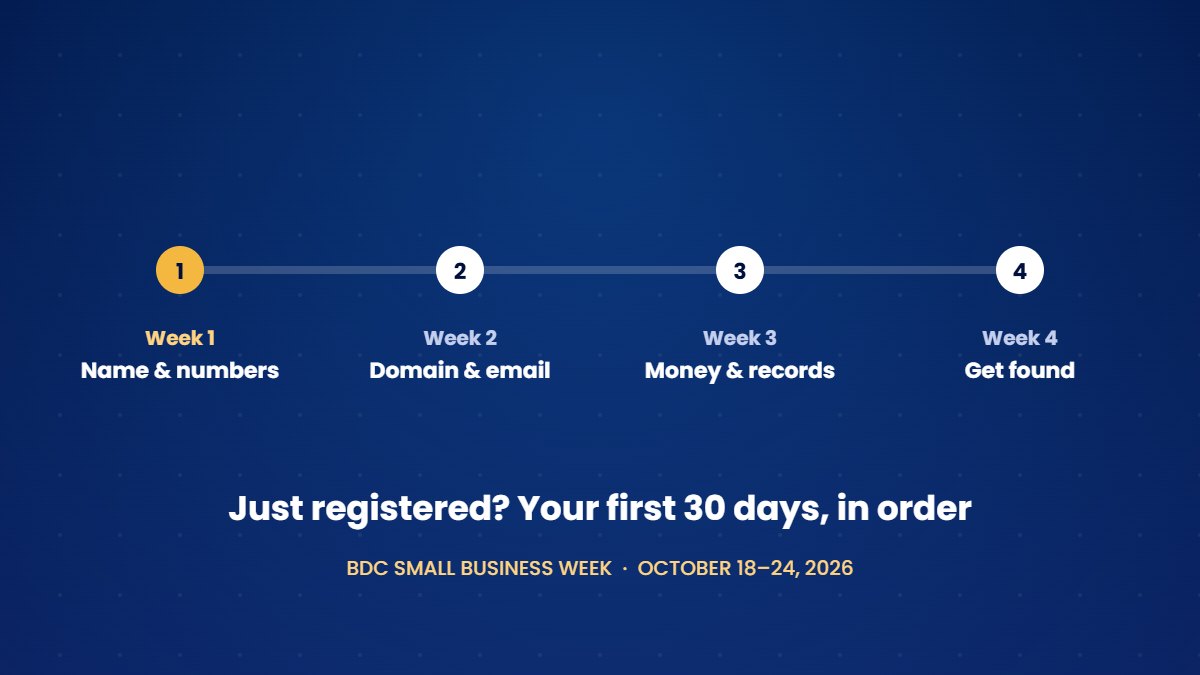
BDC Small Business Week runs from October 18 to 24, 2026, and for many people it is the push they need to finally register a business. Once you have registered, the order of the next steps matters, since each one depends on the one before it and doing them out of order usually means doing some of them twice.
Week 1: Your name and your numbers
Register the business name
In Ontario, a sole proprietorship or partnership that operates under any name other than the owner's own must register that name through the Ontario Business Registry. Registration costs $60 and lasts five years, while corporations follow a separate incorporation process.
Get a CRA business number
Your business number is the nine-digit number that the Canada Revenue Agency uses for your business accounts, including GST/HST and payroll.
Decide on GST/HST registration
You must register for GST/HST once your taxable sales pass $30,000 in a single calendar quarter or over four consecutive quarters. You can also register earlier by choice, which allows you to claim back the GST/HST you pay on business purchases. Your accountant can tell you which approach makes more sense for your business.
Week 2: Your name online
Secure the domain before you print anything
Business cards, signs and invoices will all carry your domain, so settle it first. To register a .ca domain, you must meet the Canadian Presence Requirements set by CIRA, the organization that manages .ca, and Canadian citizens, permanent residents and Canadian corporations all qualify. Register the domain in your own name or your business's name rather than a designer's, and turn on auto-renew and registrar lock.
Set up email on your domain
An address such as [email protected] needs three DNS records, called SPF, DKIM and DMARC, before other mail servers will trust it. Gmail and Yahoo already require every sender to use at least SPF or DKIM, and anyone who sends more than 5,000 messages a day to their users needs all three. Setting up the records on day one means your first invoices won't land in a spam folder.
Week 3: Money and records
Open a business bank account
Open a separate business account, even if you operate as a sole proprietor. Keeping business money apart from personal money makes bookkeeping, GST/HST returns and tax time much simpler.
Choose a bookkeeping tool and a receipts habit
Pick a bookkeeping tool and a simple habit for receipts, such as photographing each one on the day you receive it. Starting with clean records is far easier than sorting through a shoebox of receipts in April.
Week 4: Getting found, and knowing who to call
Set up your Google Business Profile
Verification can take several days, and Google decides which method you will use, so it is worth starting early.
Publish a simple website
Even a few pages are enough to start with. If your site collects names or email addresses, it needs a privacy policy, since PIPEDA, Canada's private-sector privacy law, applies to personal information that businesses collect in the course of commercial activity.
Decide who you will call when technology breaks
Working out who to call during an outage costs far more than settling the question now.
A worked example
Consider someone launching a small bookkeeping practice in Toronto. In the first week, they register the business name, obtain a business number and decide with their accountant to register for GST/HST voluntarily. In the second week, they secure a .ca domain in their own name and set up a business email address with the correct records. The third week goes to opening a business bank account and choosing bookkeeping software, and the fourth to a Google Business Profile, a simple website with a privacy policy, and a decision about who will handle technical problems. By the end of the month, every piece is in place and in the owner's name.
The short version
- In week one, register the name, get your business number and decide on GST/HST.
- In week two, secure the domain and set up business email properly.
- In week three, open a business bank account and start your records.
- In week four, set up your Google Business Profile, publish a basic website and arrange tech support.
Frequently asked questions
Do I need to register a name if I use my own?
A sole proprietor who operates under their own legal name, with nothing added, generally doesn't need to register a business name in Ontario. Adding words such as "Consulting" or "Services" usually means that you do.
Should I incorporate straight away?
The answer depends on your liability, your tax situation and your plans for growth. Many people start as sole proprietors and incorporate later, so it is worth discussing with an accountant or a lawyer before you decide.
Can I set up the domain and email before I register?
You can, and securing the domain early stops someone else from taking it. Use the same name you plan to register so that everything matches.
This article offers general guidance rather than legal or tax advice. For anything specific to your registration or your taxes, check with an accountant.
Our Launch Bundle takes care of weeks two and four for you, covering your domain, business email, a five-page website and your Google Business Profile, all set up in about two weeks. We can also file your week-one registration for the government fee plus a $200 service fee.
See the Launch Bundle →Sources
- Government of Ontario, Ontario Business Registry services. ontario.ca
- Canada Revenue Agency, GST/HST registration. www.canada.ca
- CIRA, Canadian Presence Requirements for .ca domains. www.cira.ca
- dmarcian, Gmail, Yahoo and Microsoft sender requirements. dmarcian.com
- BDC, Small Business Week 2026. www.bdc.ca